Latest Version
DeSmuME Team
Sports
Linux
Free
org.desmume.DeSmuME
Report a Problem
More About DeSmuME
Imagine dusting off your old gaming shelf, finding your favorite classic dual-screen adventures, and realizing you no longer have the working hardware to play them. This is where the DeSmuME Nintendo DS emulator steps in to bridge the gap, allowing Linux users to relive those iconic gaming moments directly on their desktop setup.
What is the DeSmuME Nintendo DS Emulator?
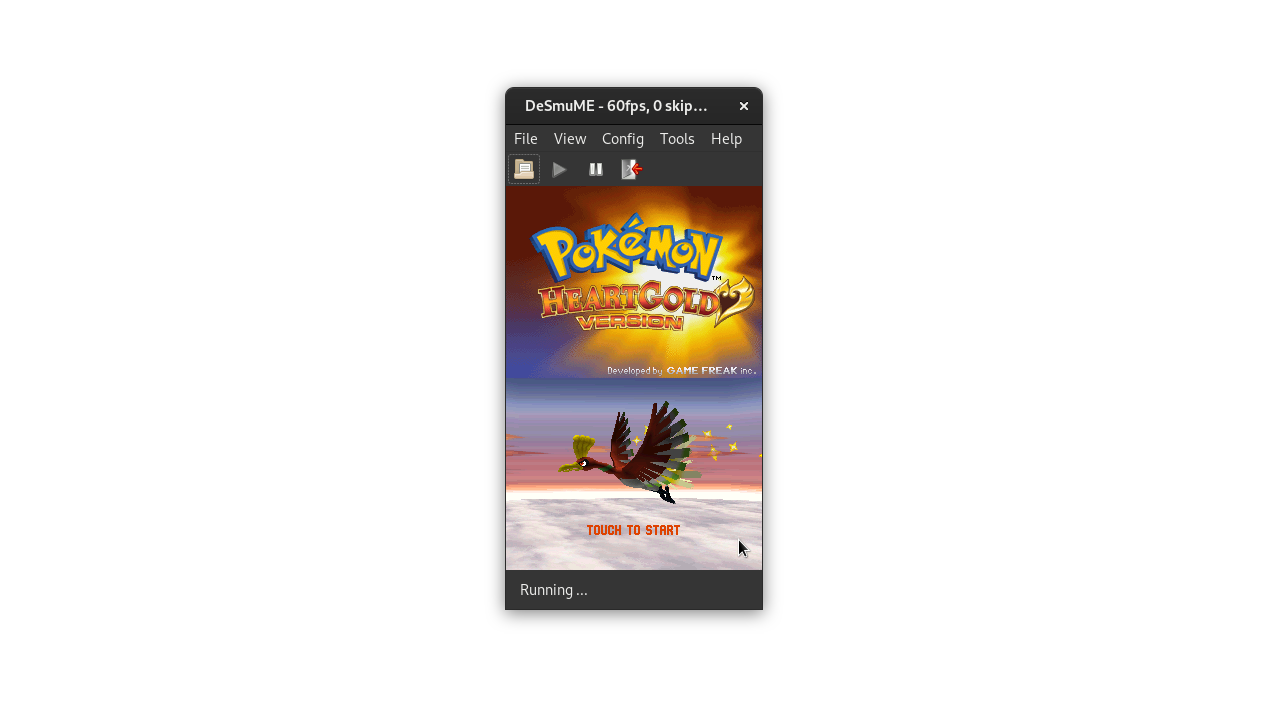
Developed by the dedicated DeSmuME Team, this software serves as a highly reliable translation layer between vintage dual-screen game files and your modern Linux operating system. It recreates the unique architecture of the original handheld console, mapping both screens to your monitor and translating touch controls to your mouse or trackpad seamlessly.
Key Features and Capabilities
- Dual-Screen Layout Customization: Easily configure how the two screens are displayed on your Linux desktop, whether side-by-side or stacked vertically.
- Input Mapping: Map your keyboard or external game controllers to match the classic handheld button layout.
- Emulation Precision: Built with a focus on compatibility, ensuring a wide array of classic titles run smoothly on open-source platforms.
Who Is This Emulator For?
The DeSmuME Nintendo DS emulator is tailored specifically for Linux enthusiasts and retro gaming fans who value open-source preservation. If you want a straightforward, no-nonsense tool to run your legally dumped game backups on a modern Linux PC, this application offers the stability and configuration depth you need without unnecessary overhead.
Getting Started
As an open-source project, it integrates beautifully into the Linux ecosystem. While it does not come with pre-packaged games, it provides the robust emulation engine required to run your own files. To explore this emulation tool for yourself, head over to the official Flathub store page via the link below to view installation options for your distribution.
Ready to jump back into dual-screen gaming? Check out the official repository and distribution page on Flathub to get started.
Rate the App
User Reviews
Other Apps in This Category



Popular Apps









Editor's Choice